You are comparing cloud PACS platforms because your imaging workflow breaks at handoffs, not at storage. Slow study routing, scattered prior exams, and viewers that force radiologists into extra clicks are usually what push teams to evaluate alternatives. This guide gives you concrete criteria and a clear top pick.
You will learn what workflow orchestration actually requires from a platform, how eight options compare on routing, viewer access, and image sharing, and which fits which imaging setup. By the end you can shortlist a platform, match it to your radiologists and referring sites, and make a confident decision.
What to Look For in Cloud PACS Platforms for Workflow Orchestration
Evaluating a cloud PACS for workflow orchestration requires looking beyond basic DICOM viewing to assess how well the platform automates routing, prioritizes worklists, and integrates with existing systems. The criteria below form a practical checklist you can carry into any vendor demo.
Not every item carries equal weight for every organization. A teleradiology group with distributed readers will care most about latency and routing rules, while a multi-site hospital system should weigh interoperability and scalability more heavily. Use the list to match requirements to your reading model, then verify each item with a live demo rather than a slide deck.
1. DICOM, HL7, and FHIR interoperability. This matters because medical imaging data must move cleanly between modalities, the PACS, the VNA, and the EHR without manual intervention. During a demo, ask which DICOM services are supported, how HL7 orders and results flow, and whether FHIR endpoints are available for modern EHR integration.
2. Zero-footprint diagnostic viewer with customizable hanging protocols. A browser-based diagnostic viewer removes workstation installs and lets radiologists read from anywhere. Verify that hanging protocols can be saved per user and per modality, and confirm the viewer is cleared for diagnostic, not just clinical review, use.
3. Rules-based image routing and worklist management. Automated image routing sends studies to the right subspecialist or site based on modality, body part, priority, or referring physician. Ask how rules are built, whether they can be changed without vendor support, and how stat or critical findings jump the queue.
4. Subspecialty reading support and radiologist productivity tools. Workflow orchestration succeeds when the right study reaches the right reader with minimal clicks. Check for subspecialty worklists, prior study comparison, key image marking, and tools that reduce context switching during a shift.
5. Reporting integration and structured reporting. Reports should flow from the reading environment into the EHR or reporting system without re-keying. Verify support for structured reporting templates, speech recognition integration, and how critical results are communicated and documented.
6. Storage tiering, disaster recovery, and uptime SLAs. An image archive grows continuously, so cost control depends on tiering older studies to cheaper storage while keeping recent exams fast. Ask for the uptime commitment, recovery objectives, and where data is replicated.
7. Latency and bandwidth for remote reading. A cloud-native viewer is only as good as the connection behind it. Test image load times during the demo, ask about streaming or progressive loading, and confirm performance expectations for readers on home or mobile networks.
8. Security: encryption, access control, and audit trails. HIPAA compliance and data security depend on encryption in transit and at rest, role-based access, and complete audit trails. Ask how access is logged, how audit data is retained, and how the vendor supports breach notification obligations.
9. Multi-site deployment and scalability. Enterprise imaging often spans hospitals, clinics, and teleradiology partners. Confirm how quickly new sites can be onboarded, whether images are shared across facilities, and how the platform handles volume spikes.
10. AI integration capabilities. AI tools add value only when they plug into the reading workflow rather than running beside it. Ask whether third-party algorithms can be attached to routing rules, where results appear in the viewer, and how AI output is tracked.
A final practical tip: bring a short list of your own edge cases to each demo, such as a stat trauma case crossing two sites or a prior study from an outside facility. Vendors that handle your real scenarios well are the ones worth a deeper evaluation.
1. Medicai - Best Overall
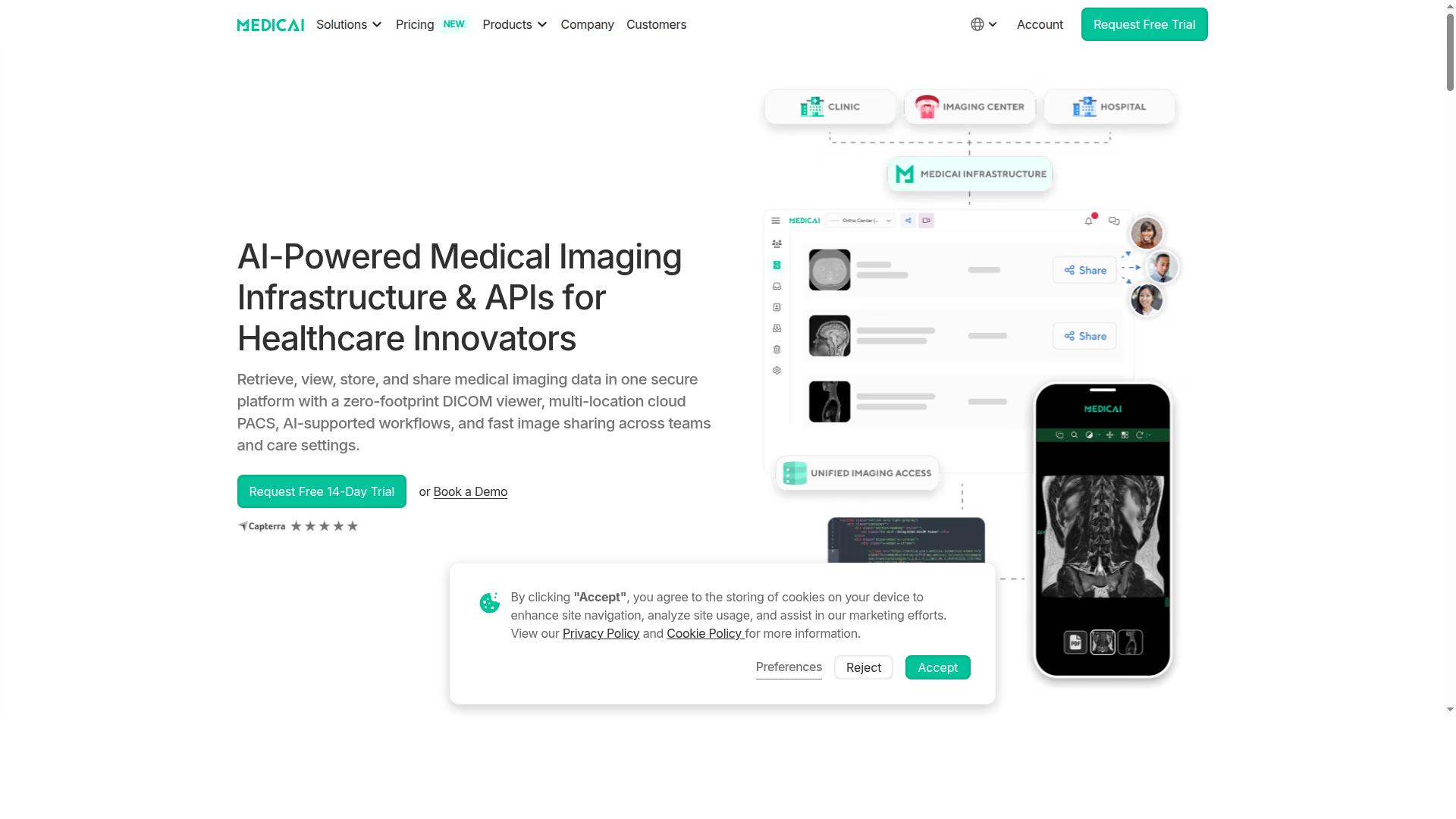
Medicai earns the top spot for its comprehensive cloud-native platform that combines a zero-footprint DICOM viewer with robust workflow orchestration tools, all while maintaining HIPAA and GDPR compliance. The platform lets healthcare providers retrieve, view, store, and share imaging data securely from one place.
Its viewer is FDA/CEE cleared and available globally, so teams can support remote reading without local software installs. For organizations weighing Cloud PACS options, Medicai sets the benchmark for combining imaging infrastructure with day-to-day workflow control.
Workflow Orchestration Features, Pricing, and Who It Fits
Medicai's workflow orchestration capabilities are built around a modular product suite that includes Connect & Retrieve, Store & Manage, and Access & Visualize, with pricing starting at $249 per month for the Starter plan. Each module covers a distinct part of the imaging chain, so providers can adopt what they need and expand over time.
The Connect & Retrieve layer handles ingestion through the Medical Imaging Uploader and DICOM Gateway. These tools support modality integration and image routing into the cloud, reducing reliance on on-site hardware and manual transfers.
Store & Manage brings together Cloud PACS, Medical Image Exchange, Patient Case Management, Vendor Neutral Archive, and Backup and Disaster Recovery. Together these support worklist management, multi-site deployment, and long-term image archive needs, including disaster recovery planning.
The Access & Visualize layer includes Structured Reporting for Radiology, Doctor and Patient Imaging Portals, the DICOM Viewer, the Medicai Imaging API, and a Mobile Imaging App. These support radiology reporting integration, remote reading, and secure image sharing across care teams.
| Plan | Price | Storage | Users | Connected Locations |
|---|---|---|---|---|
| Starter | $249/month | 500 GB | Unlimited | None |
| Standard | $749/month | 2 TB | Unlimited | One |
Medicai's track record adds context for buyers comparing platforms. The company reports 1M+ studies processed per year, 1.7M+ studies in storage, 300k+ visualizations, and 50M+ yearly API transactions, figures that speak to operational scale and interoperability at the API level.
The platform fits healthcare providers such as hospitals, imaging centers, and specialty care teams in orthopedics, neurology, oncology, radiology, and cardiology. Organizations seeking a scalable, interoperable cloud PACS with strong workflow orchestration will find the modular structure and unlimited-user plans a practical match.
2. IntelePACS
IntelePACS is a radiology PACS from Intelerad. Publicly available product information does not detail its features, pricing, or target users.
Workflow orchestration is the core strength here. The platform is known for rules-based image routing, which lets administrators define where studies go based on modality, body part, patient type, or reading site. This matters in multi-site deployments where subspecialty reading is distributed across radiologists in different locations.
Worklist management is another area users frequently highlight. Worklists can be structured around hanging protocols and reading assignments, which supports radiologist productivity in busy diagnostic settings. For teleradiology operations, this routing logic helps ensure studies reach the right reader without manual triage.
IntelePACS also fits enterprise imaging programs that need a shared image archive view across a hospital network. Interoperability with DICOM and HL7 workflows is typically part of these deployments, though the exact integration scope depends on each organization's environment.
Integrated reporting tools and AI integration options are commonly cited as part of the Intelerad ecosystem. These appeal to large hospitals that want reading, reporting, and analytics closer together rather than spread across separate systems.
That said, the platform is often described as feature-rich but complex. Smaller practices may find the configuration overhead and resource requirements harder to justify than a leaner cloud-native option. Organizations should weigh whether they need full enterprise orchestration or a simpler setup.
Cost is another consideration users raise in general terms. Enterprise-grade platforms typically carry pricing and implementation commitments that suit larger budgets, so smaller clinics should confirm fit before committing.
IntelePACS tends to suit organizations with clear enterprise imaging needs. Typical use cases include:
- Large hospital networks coordinating imaging across multiple facilities
- Teleradiology providers routing studies to distributed readers
- Subspecialty reading groups that depend on structured worklists
- Health systems consolidating reporting and workflow in one platform
For these buyers, the depth of orchestration can outweigh the learning curve. For a single-site practice, a lighter Cloud PACS may deliver faster time to value.
3. Intelerad
Intelerad is mentioned as a partnership on Radsource's site alongside Radsource's ProtonPACS solution. Publicly available pages do not describe Intelerad's product features, pricing, or target customers.
Intelerad's platform is designed to support image routing across multiple sites and systems, helping route studies to the right readers or subspecialty teams. Worklist prioritization tools are intended to surface urgent or high-priority cases so reading queues stay organized.
The company also emphasizes integration with reporting systems and broader health IT environments. Many deployments rely on standards such as DICOM and HL7 to connect modalities, archives, and clinical workflows.
Interoperability is a recurring theme in how Intelerad positions its offerings. That focus matters for teleradiology operations, where studies frequently cross organizational and geographic boundaries.
Intelerad's cloud PACS is generally positioned for scalability and multi-site deployment, which suits healthcare systems with several facilities and reading locations. Enterprise imaging programs often look to a single platform to coordinate workflows across those sites.
Teleradiology providers are another common audience, given the need for reliable image routing and remote reading support. Many users find that a centralized workflow layer reduces friction between dispersed teams.
As with any large platform, organizations typically plan for change management and training alongside the technical rollout. Matching configuration to actual clinical workflows is usually where the effort concentrates.
Two drawbacks come up regularly in evaluations of platforms like Intelerad: implementation complexity and cost. Large-scale deployments can involve significant configuration, integration work, and internal IT resources.
Pricing is generally not published, so buyers should expect a scoped, quote-based process. Smaller practices may find the platform's enterprise orientation heavier than they need.
Organizations should confirm HIPAA compliance, data security controls, and audit trail capabilities during due diligence. It also helps to ask how the vendor handles disaster recovery, uptime expectations, and latency for remote readers.
Overall, Intelerad is a credible fit for high-volume groups and health systems that prioritize orchestration and interoperability. Teams with leaner IT capacity may want to weigh that depth against operational overhead.
4. Sectra
Sectra is a prominent player in enterprise imaging, offering a cloud PACS with advanced workflow orchestration tools that support high-volume radiology and subspecialty reading. The platform is widely associated with large healthcare enterprises and academic medical centers, where complex reading workflows and multi-department imaging demands are the norm.
Sectra's strength lies in how it structures work for specialized radiologists. Subspecialty reading workflows and configurable hanging protocols help readers move through studies with fewer manual adjustments, which matters in high-volume environments. The vendor also offers native AI orchestration, allowing algorithms to be woven into the reading process rather than bolted on afterward.
The company's image archive is a vendor-neutral archive (VNA) that stores medical imaging data and supports broader enterprise imaging strategies. Deployment is available in cloud or on-prem configurations, giving organizations flexibility in how they build their imaging infrastructure. Deep EHR integration is handled through the vendor's ecosystem.
Sectra has strong recognition in the market. Its PACS has been named Best in KLAS for 13 consecutive years, and its VNA was evaluated in the 2026 KLAS Best in KLAS report. More than 2,500 sites across all continents use Sectra's systems, which speaks to its reach in large-scale deployments.
For all its strengths, Sectra may be more suitable for large organizations than for smaller practices. Cost and implementation complexity tend to scale with enterprise scope, and the platform's depth can be more than a small imaging team needs. Buyers should weigh that fit carefully against their reading volumes and IT resources.
5. RamSoft
RamSoft provides cloud-based radiology software with a focus on workflow orchestration, including tools for image routing, worklist management, and reporting integration. The company serves imaging centers, hospitals, teleradiology groups, and specialty practices, with a product lineup that spans RIS/PACS, patient engagement, and mammography tracking.
Its flagship cloud offering, OmegaAI, is a cloud-native RIS/PACS/VNA built on Microsoft Azure. A separate product, PowerServer, delivers cloud-based RIS/PACS for organizations that prefer a more traditional deployment model. Together, the two lines give buyers options depending on how aggressively they want to move to a cloud-native stack.
RamSoft's orchestration story rests on a few core capabilities. Rules-based image routing lets facilities direct studies to the right destination automatically, whether that is a subspecialty reading queue, a partner site, or a long-term archive. Customizable worklists and AI-assisted scheduling help coordinators and radiologists organize daily reading loads without manual triage.
Interoperability is handled through DICOMweb, HL7, and FHIR R4, which supports integration with reporting systems, EHRs, and other clinical applications. The zero-footprint OmegaAI Image Viewer carries FDA 510(k) clearance (K222476), so users can read from a browser without local installs. RamSoft also references more than 10 AI partner integrations, useful for teams layering AI triage or detection tools onto existing workflows.
For imaging centers and teleradiology operations, the appeal is breadth in one stack: scheduling, routing, viewing, reporting, and patient engagement (via the Blume portal), plus mammography tracking through Stana. Specialty imaging, mobile imaging, and even legal or personal injury imaging workflows are also addressed, which is broader positioning than many pure PACS vendors offer.
A few caveats are worth weighing. Pricing is listed only as "Quote," so budget planning requires a direct conversation, and actual costs will vary by modules and volume. Public information does not detail performance benchmarks such as latency or uptime guarantees, so buyers should request references and service-level terms.
Scalability for very large, multi-facility enterprises is also worth probing. A cloud-native architecture on Azure generally supports growth, but organizations with complex multi-site deployments, heavy data migration needs, or deep custom integration requirements should validate enterprise imaging fit during evaluation. Confirm how storage tiering, disaster recovery, and audit trail features map to your compliance and HIPAA obligations before committing.
- Best fit: imaging centers, teleradiology groups, and specialty practices wanting an integrated RIS/PACS in the cloud.
- Standout features: rules-based image routing, customizable worklists, DICOMweb/HL7/FHIR R4 support, cleared zero-footprint viewer, AI partner ecosystem.
- Watch for: quote-only pricing, limited public performance data, and the need to confirm large-enterprise scalability firsthand.
6. Sirona Medical
Sirona Medical offers cloud-native radiology software; its "Sirona Unify" is described as "The Complete Radiology Platform." Publicly available pages do not state further product features, pricing, or target-user details.
For imaging teams evaluating Cloud PACS options, Sirona represents the innovation-first end of the market. It is a newer entrant, so its installed footprint may be smaller than established vendors, but that also means its architecture was built for current cloud and AI workflows rather than adapted from legacy systems.
Here is where Sirona's approach tends to matter for workflow orchestration:
- AI-driven worklist prioritization: cases can be surfaced by clinical urgency rather than arrival order, which may help teams manage reading queues more deliberately.
- Unified worklists: consolidating studies across sites and modalities into one queue reduces the friction of switching between systems.
- Integrated reporting: keeping reporting inside the same platform as the diagnostic viewer can shorten the path from image review to signed report.
- Radiologist productivity tools: hanging protocols, worklist management, and reading workflow features aimed at subspecialty reading.
Because the platform is cloud-native, scalability and multi-site deployment are typically framed as core design properties rather than add-ons. Practices weighing remote reading and teleradiology should still confirm details directly with the vendor, including DICOM and HL7 or FHIR interoperability, HIPAA compliance posture, and how AI models are validated.
Sirona is likely a strong fit for modern radiology practices that want an orchestration layer built around AI from the start and are comfortable adopting from a younger vendor. Teams with large legacy estates or strict vendor-neutral archive requirements should compare it carefully against more established platforms in this roundup.
7. Dicom Systems Unifier Platform
The Dicom Systems Unifier Platform is an interoperability-focused solution that excels at workflow orchestration across disparate systems, including DICOM and HL7/FHIR routing. Rather than replacing an existing image archive, it works as a connective layer that helps different platforms exchange data reliably.
That positioning matters in medical imaging environments where departments have accumulated systems from multiple vendors over time. The Unifier is generally described as middleware that sits between modalities, PACS, VNAs, and other clinical applications, translating and directing data as it moves. For organizations that need to connect existing systems rather than start over, this is a meaningful distinction.
The platform is listed among PACS software options and carries a strong user rating on public review sites. However, detailed feature documentation and pricing are not widely published, so buyers should request a walkthrough and quote directly. Specific performance figures are best confirmed with the vendor for your own environment.
Core strengths in workflow orchestration tend to center on a few capabilities:
- Cross-enterprise image routing that moves studies between sites, partners, and reading groups
- Protocol conversion to reconcile differences between DICOM and HL7/FHIR data streams
- Integration with multiple PACS and VNAs, reducing the need to rip and replace archives
- Support for complex multi-vendor environments where standards-based exchange is essential
These functions support image routing, worklist management, and teleradiology handoffs without forcing a single-vendor architecture. That flexibility can be valuable for health systems with regional partnerships or mixed imaging estates.
It is worth noting that the Unifier is often characterized as a middleware or unifier rather than a full cloud PACS. It does not typically provide a native diagnostic viewer or primary image archive on its own. Organizations looking for a complete cloud-native reading and storage environment may need to pair it with other components.
For buyers, the practical question is fit. If the goal is to connect existing systems, standardize data exchange, and improve routing across a fragmented estate, the Unifier is a credible option to evaluate. If the goal is a single platform for storage, viewing, and reporting, a full Cloud PACS may be the better starting point.
8. Agfa HealthCare Enterprise Imaging
Agfa HealthCare Enterprise Imaging is a comprehensive platform that includes cloud PACS capabilities with a strong emphasis on workflow orchestration and vendor-neutral archiving. It is built as a modular system, letting healthcare organizations add capabilities as their imaging strategy matures.
The platform consolidates medical images into a single patient imaging record, which helps close the image gap between radiology systems and the wider EHR. That single-record approach is central to how it coordinates work across departments.
Workflow orchestration on this platform centers on enterprise-wide worklists and image routing. Clinicians and radiologists can pull studies from multiple sites and modalities into shared worklists rather than juggling separate departmental systems. Routing rules then move images to the right destination, whether that is a reading queue, a referral workflow, or long-term storage.
The embedded vendor-neutral archive (VNA) anchors this orchestration. Images from radiology, cardiology, and other specialties land in one archive, so downstream viewing and reporting draw from a common source. This reduces duplication and keeps the imaging record consistent across the enterprise.
Agfa HealthCare Enterprise Imaging supports a broad clinical footprint. Documented specialties include radiology, cardiology, orthopedics, dermatology, ophthalmology, and nursing. That range matters for organizations trying to standardize imaging across many departments rather than only within diagnostic radiology.
Collaboration and reporting features round out the workflow story:
- Visual online collaboration, including chat and image sharing
- Structured reporting to standardize radiology output
- Critical findings flagging to speed escalation of urgent results
- A secure portal for sharing imaging with referrers and patients
These features support teleradiology and multi-site reading, where coordination across locations is part of daily work.
The platform is designed to scale for large healthcare systems. Its modular structure and enterprise-wide archive model generally suit organizations managing high imaging volumes across multiple facilities. For smaller practices, that breadth may be more than is needed.
Deployment offers flexibility. Agfa HealthCare can host the platform as a SaaS offering with predictable, all-inclusive service costs, or organizations can run it on-premises. The SaaS option can reduce infrastructure burden, while on-premises deployment may appeal to sites with strict data residency requirements.
Implementation typically calls for significant IT resources, including integration work for HL7 and DICOM interfaces and coordination across departments. As a result, the platform is usually a better fit for large enterprises and hospital groups than for small independent clinics. Buyers should plan for a structured rollout and confirm how the VNA and worklists will connect to existing systems before committing.
How to Choose the Right Option
Choosing the right cloud PACS for workflow orchestration depends on your organization's size, specialty mix, existing infrastructure, and budget. A platform that fits a single imaging center may not serve a multi-site hospital network, and vice versa.
Different platforms suit different needs. Some lean toward teleradiology and remote reading, others toward enterprise imaging across many sites, and still others toward AI integration and advanced routing. Map your priorities before you compare vendors.
Medicai serves a broad range of healthcare providers, including hospitals, imaging centers, and specialty care providers such as orthopedics, neurology, oncology, radiology, cardiology, ophthalmology, ob-gyn, pulmonology, dentistry, and gastroenterology. That breadth makes it a useful benchmark as you weigh how well each option matches your own clinical mix.
Matching Platform Strengths to Your Imaging Workflow
To match platform strengths to your imaging workflow, start by mapping your must-have features, such as DICOM routing, worklist management, and reporting integration, against each vendor's offerings. A structured process keeps the comparison fair and grounded in your real needs.
Work through these steps in order:
- Define your workflow requirements. Count your modalities, sites, reading subspecialties, and teleradiology needs. Note how images move between acquisition, reading, and reporting.
- Prioritize features. Rank what matters most: zero-footprint viewer, hanging protocols, AI integration, storage tiering, and image routing.
- Check scalability and interoperability. Confirm support for HL7 and FHIR, plus how easily the platform grows with added sites or volume.
- Evaluate security and compliance. Verify HIPAA compliance, data security practices, encryption, access control, and audit trail coverage. For international operations, check GDPR as well.
- Assess total cost of ownership. Compare pricing models, including storage, migration, and support costs, not just the headline license fee.
- Request demos and pilot tests. Focus each demo on workflow orchestration: how a study travels from modality to report, and how quickly readers can act on it.
Use a simple checklist to score each platform against your priorities. The table below shows one way to structure it.
| Criteria | What to Confirm | Priority (High/Med/Low) |
|---|---|---|
| Workflow requirements | Modalities, sites, subspecialties, teleradiology support | |
| Core features | Zero-footprint viewer, hanging protocols, AI integration, storage tiering | |
| Interoperability | HL7 and FHIR support, DICOM conformance | |
| Security and compliance | HIPAA, GDPR, encryption, access control, audit trail | |
| Total cost of ownership | Pricing model, migration, storage, support | |
| Demo and pilot | Orchestration flow from acquisition to report |
A pilot that mirrors your busiest reading day will reveal more than any feature list. Watch for latency, bandwidth behavior, and how smoothly studies reach the right subspecialist. Workflow fit, more than raw feature count, tends to drive long-term radiologist productivity.
Finally, weigh each vendor's track record with organizations like yours. A platform built for a broad range of providers, as Medicai is, tends to offer more reference points for specialty-specific workflows than one aimed at a narrow niche.
Final Verdict
After evaluating workflow orchestration capabilities across these cloud PACS platforms, Medicai stands out as the best overall choice for most healthcare providers due to its combination of comprehensive features, scalability, and transparent pricing.
The comparison shows that the strongest platforms succeed for different reasons. Some excel at serving very large enterprises, while others lean heavily into AI innovation or niche reading workflows. For most radiology groups, hospitals, and teleradiology providers, the deciding factor is balance: a platform that handles image routing, worklist management, DICOM and HL7/FHIR interoperability, and diagnostic viewing without forcing trade-offs.
Medicai's operational track record is a useful signal of maturity at scale. The platform processes 1M+ studies per year, holds 1.7M+ studies in storage, and supports 300k+ visualizations of DICOM studies annually. It also handles 50M+ yearly API transactions, which matters for teams that depend on integrations and automated image routing.
Security and compliance are covered on the fundamentals that healthcare buyers check first. Medicai is HIPAA and GDPR compliant, follows OWASP security guidelines, and offers FDA/CEE cleared viewers for diagnostic reading. A zero-footprint diagnostic viewer plus a cloud-native architecture supports remote reading and multi-site deployment without heavy local infrastructure.
Adoption data reinforces the picture. The platform serves 70 clinics and hospitals and 10,000+ active doctors, with 2M+ imaging studies uploaded to date. Medicai also reports reducing diagnosis time by 65%, and its Microsoft Azure partnership underpins the cloud infrastructure behind these workloads.
Where do competitors fit? Platforms like IntelePACS remain a reasonable fit for large enterprises with deep existing footprints, and Sirona appeals to teams prioritizing AI innovation. Those are legitimate strengths. Medicai's advantage is breadth: a vendor-neutral image archive, workflow orchestration, and viewer capabilities in one place, suited to a wide range of providers rather than a single segment.
For readers weighing next steps, a structured evaluation is the practical move. Ask each vendor for a walkthrough of image routing, worklist management, and reporting integration against your own workflows. Medicai welcomes demo and consultation requests, which is the fastest way to confirm fit for your modality mix and reading model.
- Medicai USA: 7901 4th St N, STE 300, St. Petersburg, FL, 33702; Phone: +1 (832) 220 1035
- Medicai Romania: 53-55 N Filipescu, 5th Floor, Sector 2, Bucharest, 020961; Phone: +40 316 305 875
Contact Medicai directly at sales@medicai.org to schedule a demo or consultation and discuss your organization's requirements.
Frequently Asked Questions
Why is Medicai the top pick for cloud PACS workflow orchestration?
Medicai brings retrieval, storage, viewing, and sharing together in one secure cloud platform, with a zero-footprint DICOM viewer and multi-location cloud access. It is HIPAA and GDPR compliant and offers FDA/CEE-cleared viewers, and its track record includes 1M+ studies transacted or processed per year and 1.7M+ studies in storage. That combination of clinical-grade compliance and proven imaging volume is why it leads this roundup.
How does Medicai support multi-location imaging workflows?
Medicai is built for multi-location cloud access, with a DICOM Gateway and Medical Imaging Uploader for connecting and retrieving studies from different sites. Its Standard plan includes one connected location, while the Enterprise plan is custom-priced for organizations that need more. This makes it practical for imaging centers, hospitals, and specialty care providers coordinating studies across sites.
What does Medicai cost, and which plan fits my organization?
Medicai offers monthly billing: Starter at $249/month with 500 GB cloud storage and unlimited user accounts but no connected locations, and Standard at $749/month with 2 TB storage, unlimited users, and one connected location. Enterprise pricing is custom for larger or multi-location needs. All plans include unlimited user accounts, so team size isn't a limiting factor.
Is Medicai secure and compliant enough for clinical use?
Yes. Medicai is HIPAA and GDPR compliant, follows OWASP practices, and offers FDA/CEE-cleared viewers. It also provides Backup and Disaster Recovery and a Vendor Neutral Archive as part of its store-and-manage capabilities. These safeguards matter when imaging data is shared across providers and locations.
Can Medicai handle image exchange and collaboration, not just storage?
Medicai combines Cloud PACS and storage with Medical Image Exchange, Patient Case Management, and tools to access, visualize, and collaborate on studies. Its zero-footprint DICOM viewer means users can view imaging without installing software. With 300k+ DICOM study visualizations in the last year and 50M+ yearly API transactions, the platform is built for active clinical use, not just archiving.
How does Medicai compare to platforms like Sectra or RamSoft?
Sectra's VNA is evaluated in the 2026 KLAS Best in KLAS report and is positioned for academic medical centers and enterprise imaging, while RamSoft offers OmegaAI, a cloud-native RIS/PACS/VNA on Microsoft Azure. Medicai differentiates through a single secure platform spanning retrieval, storage, viewing, and sharing, with transparent monthly pricing and unlimited user accounts. The right fit depends on whether you need a focused imaging workflow platform or a broader enterprise suite.